Reel guide
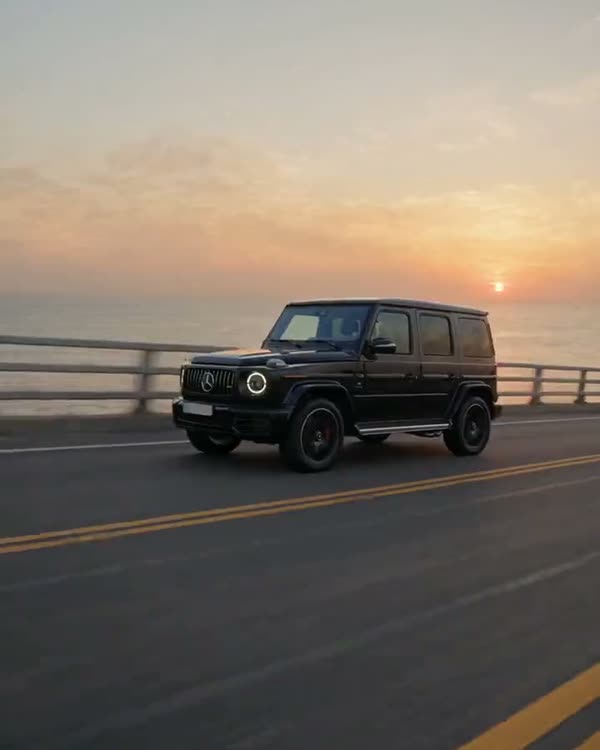
G63 out of a metro car
- Mode
- Genjutsu Lite → Motion Transfer
- What it cost me
- 60 credits
How it works
A toy model of the car sits on the window ledge of a metro car. The train goes into the tunnel, and in the dark the toy quietly turns into a real car that drives out into Moscow at night. The size change hides in a dark frame, so it looks like magic.
What you'll need
No Claude, no code, no programming: everything happens in the apps.
Step by step
Done: 0 of 5
Step 1. Source
Where: Instagram
Find the trending reel you want to recreate and download it (any reel downloader or a screen recording). This is the “skeleton”: the AI takes the camera movement, the timing and the car's path from it.
Step 2. Car sheet
Where: Gemini
Open Gemini → upload 2–5 photos of your car (or find photos of the model you want) → paste the prompt:
Gemini prompt · car sheetVehicle reference sheet: one single real [black Mercedes-AMG G63] (the same car as in the attached photos), shown four times in a clean 2x2 grid on a seamless neutral light-grey studio background with soft even studio light and soft floor shadows. Top left: front three-quarter view. Top right: rear three-quarter view. Bottom left: exact side profile. Bottom right: straight rear view. The whole car visible in every panel, the same car, identical proportions and details. Blank licence plates with no characters, no text, no labels, no people. Make the car look like a real, regularly driven car photographed with a real camera, not a clean 3D render: a very thin film of fine dust that softens the reflections, faint swirl marks, a little brake dust on the wheels.
Your car goes in the square brackets. Check the sheet by eye: headlights, grille, wheels, bumper colour. A mistake in the sheet = a mistake in every frame of the video.
Step 3. Generation
Where: Higgsfield
In Higgsfield choose Genjutsu Lite → Motion Transfer → upload the source as the video and the sheet as the image → paste the prompt → run. Check the price in credits before you run it. It takes 5–10 minutes.
The key thing about this prompt: it's written second by second against the source. If your source is different, rewrite only the timings and the places and keep the structure.
Prompt · timings in brackets — match your sourceORIGINAL VIDEO: @[Video 1](video_1) VEHICLE REFERENCE: @[Image 1](image_1) Use the complete attached original video as the timing, camera, motion and editing reference. Use the attached vehicle reference exclusively as the vehicle identity reference. Replace the original car throughout the entire video with the exact car shown in the vehicle reference, including its miniature appearance at the beginning. Also replace the environment: the train becomes a Moscow metro carriage, and the night roads become Moscow. VEHICLE IDENTITY The same reference car appears in every shot and at both scales: [a black Mercedes-AMG G63, boxy body, exposed door hinges, round LED headlights, vertical slat grille with the star, spare wheel cover on the rear door, black multi-spoke wheels], blank licence plate without characters. Preserve that identity across every angle. [0–6 s] MINIATURE ON THE METRO CARRIAGE WINDOW LEDGE A detailed die-cast miniature of the reference car rests motionless on the pale plastic ledge under the window inside a moving Moscow metro carriage. Outside the window an ornate Moscow metro station slides past: marble columns, warm chandelier light, then the dark tunnel. No passengers visible. [6–10 s] THE HIDDEN SCALE TRANSITION The train enters the tunnel and the window area darkens. Conceal the substitution within this darkness: the ledge and window frame disappear into shadow while asphalt and lane markings take over beneath the car. The body remains rigid, no inflation, stretching or jump. Rear lamps remain visible in the dark. [10–12 s] FULL-SIZE CAR IN THE ROAD TUNNEL The same car is now full-size, driving in a Moscow road tunnel with naturally rotating wheels, passing tunnel lights and motion blur. [12 s – end] NIGHT MOSCOW A bridge over the Moskva river with the illuminated Moscow City skyscrapers in the distance; then the original cuts in the same order and at the same moments: front close tracking on a wide avenue with a Stalin-era tower, rear three-quarter, wider front three-quarter, final wheel detail. GLOBAL CONSTRAINTS One car per scene. The vehicle reference is identity information only: its grid and studio background never appear in the generated scene. No readable text anywhere, no signs, no licence plate characters, no people, no watermarks, no black borders.
Step 4. Check
Where: Higgsfield
Scrub through the result frame by frame: the car is there, no extra people, no text, no black frames. Defects usually sit in the first and last seconds — just trim them.
Step 5. Edit
Where: CapCut
CapCut: trim, add text, the original sound or your own track. Format 9:16.
Where it breaks
- if you only tell the AI to “swap the car”, the toy at the start stays the old one. That's why the prompt says it outright: “including its miniature appearance”.
Follow — a new trend almost every week
Open Instagram