Reel guide
LOVE on a motorcycle — the headlight becomes the O
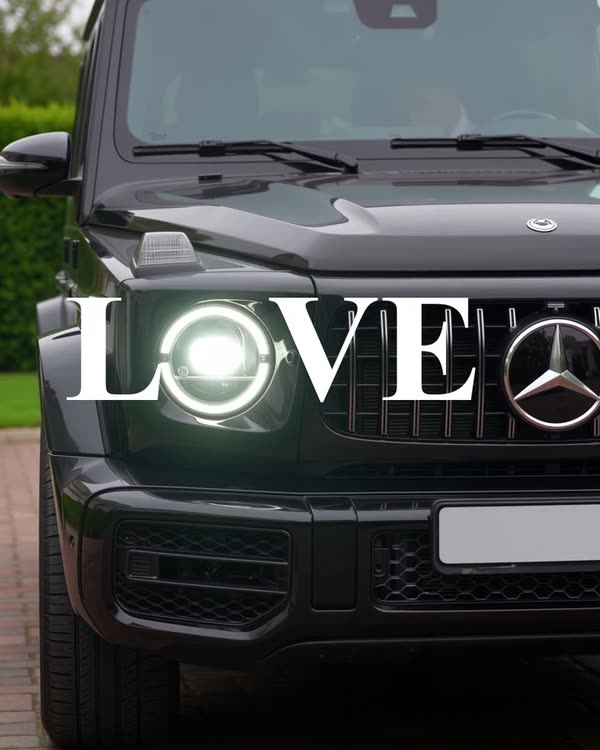
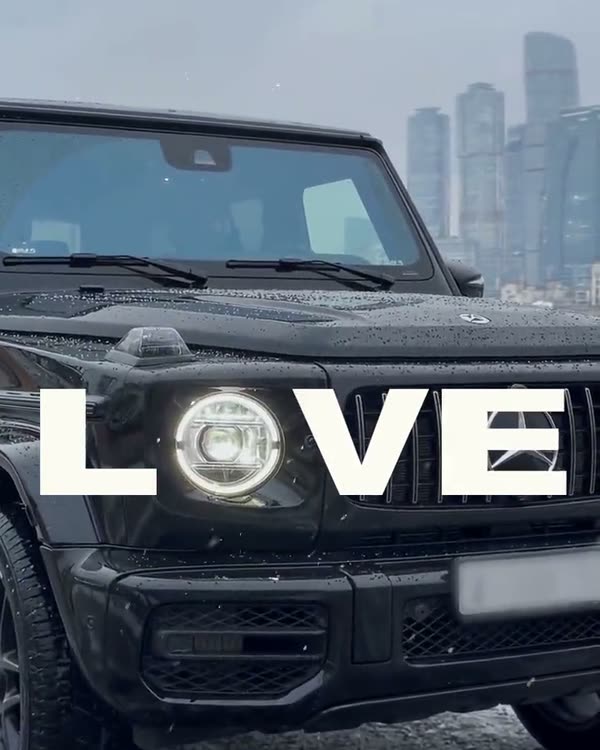
Same trick as LOVE with the car. Here the motorcycle and the rider's gear change.
- Mode
- Genjutsu → Object Swap (full, not Lite)
- What it cost me
- 105 credits · 720p, one pass · 225 with the failed tries
How it works
The letters “L VE” sit on screen, the motorcycle rolls towards the camera, and its round headlight lands where the O should be. The AI changes the motorcycle and the rider's clothes; the background stays real. You add the letters yourself at the end.
What you'll need
No Claude, no code, no programming: everything happens in the apps.
Step by step
Done: 0 of 6
Step 1. Source
Where: Instagram
Find a trending reel with a motorcycle and download it (any reel downloader or a screen recording). Look at the headlight: the O needs a round one.
Step 2. Motorcycle sheet
Where: Gemini
Open Gemini → paste the prompt. Photos are optional: I made the sheet from a description and checked it against the manufacturer's site.
Gemini prompt · motorcycle sheetProduct reference sheet of one real motorcycle, a [black Ducati Monster 937 naked bike (current generation, 2021 onward)], shown four times in a clean 2x2 grid on a plain mid-grey studio background with soft even light. Top left: straight-on front view at headlight height, showing the circular full-LED headlight with its bright daytime running light inside the circle, wide flat handlebar, round mirrors, front forks. Top right: front three-quarter view. Bottom left: full side profile with the short tail, sculpted fuel tank and exposed Testastretta V-twin engine. Bottom right: rear three-quarter view. Same motorcycle in all four views, accurate factory proportions, black paint, black wheels. Upright on its side stand. No rider. Blank number plate. No text, no labels, no captions, no logos, no lettering on the tank. Realistic product photograph.
Your motorcycle goes in the brackets. Rewrite the details further down for it too: headlight, handlebar, engine.
Step 3. Gear sheet
Where: Gemini
The second image is the rider's gear, with no face. The visor is closed and black so the AI draws nothing behind it.
Gemini prompt · rider's gearReference sheet of motorcycle riding gear on one standing adult man, three full-body views side by side on a plain mid-grey studio background with soft even light: front view, side view, back view. He wears a light-grey full-face motorcycle helmet with a closed, fully opaque glossy black visor, so nothing behind the visor can be seen. A black leather motorcycle jacket with a stand-up collar, black gloves, slim black riding trousers, black riding boots, and a small plain black backpack. Same gear in all three views. No visible skin on the head or face, no text, no logos, no labels, no stripes. Realistic product photograph.
Step 4. Generation
Where: Higgsfield
In Higgsfield choose Genjutsu → Object Swap, the full one, not Lite → upload the source as the video and both sheets as images → paste the prompt → run. Check the price in credits before you run it.
Prompt · brackets: the motorcycle and the gearReplace only two things in this video. 1) The motorcycle: replace it with the [black Ducati Monster from the reference images, a naked bike with a circular LED headlight ring, wide flat handlebar and black wheels]; its round headlight stays where the original headlight is in every frame. 2) The rider's clothing: [a black leather motorcycle jacket, black leather trousers, black gloves, black boots and a small black backpack], as in the rider reference; the helmet stays light grey and its visor is closed and opaque black in every frame. Keep everything else exactly as filmed: the same background, trees, building, sky and clouds, road and arrow marking, evening sunlight and shadows, the same fixed camera and the rider's exact movements. Photoreal live-action phone footage: rubber tyre with realistic tread and road contact, worn leather with visible grain, true-to-life colour, no CGI look. No text or lettering anywhere.
The prompt makes exactly two swaps: the motorcycle and the clothes. Everything else is told to stay as filmed.
Step 5. Check
Where: Phone
Scrub through the result frame by frame: hands and handlebar are in place, the motorcycle doesn't flicker, the headlight is round. My headlight ring came out slightly square.
Step 6. Edit
Where: CapCut
Place “L” and “VE” using the last frame, around the headlight. Pick a handwritten font, letters about as tall as the headlight. Add a 2–3 second freeze frame at the end. Format 9:16.
Where it breaks
- on Lite I ended up with four versions and edits on top: the motorcycle flickered, a hand and the handlebar disappeared. If you need to change an object and keep the background, go straight to the full Object Swap;
- an oval headlight won't form an O. Pick a motorcycle with a round one.
Follow — a new trend almost every week
Open Instagram